
Skip to content

Product

Certificates anyone can verify

When a passing result is published, AiSquare issues the certificate, numbered, as a PDF with a QR code. Anyone can scan it to check that the certificate is genuine.

At a glance

  • Issued when a pass is published

    No manual step, and reissued if a rescore changes the result.

  • A QR code on every certificate

    It opens the public verification page.

  • Revoke or expire

    A revoked certificate shows as revoked straight away.

How it works

Issued automatically, numbered without gaps

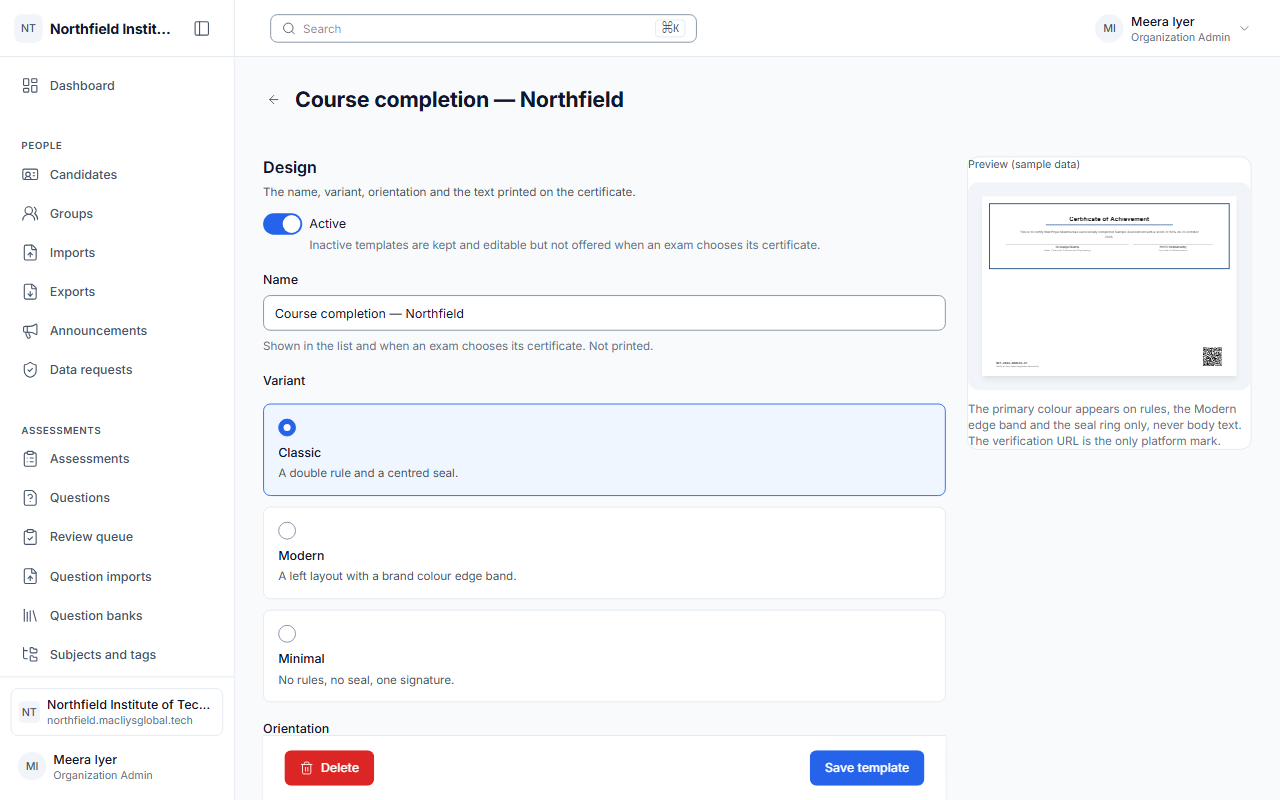
Design certificate templates for your organisation. Certificates are issued when a passed final result is published, numbered in sequence with no gaps, and sent by e-mail or downloaded as a PDF.

  • Templates per organisation
  • Gap-free numbers with a check character
  • Download and e-mail
A certificate template preview.

A public page that answers one question

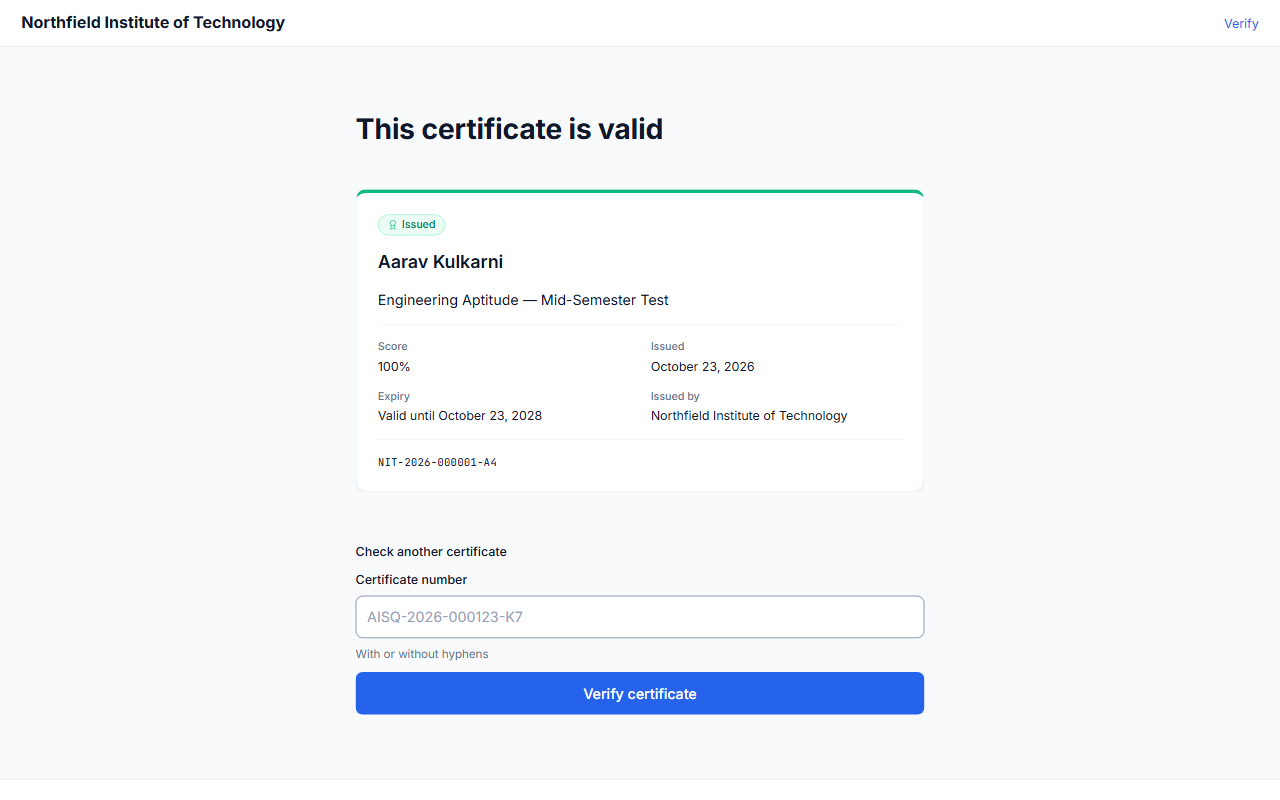
Scan the QR code or type the number at macliysglobal.tech/verify. The page shows the name, the certificate, its dates and its status, and nothing more. It is rate-limited, so numbers cannot be tried in bulk.

  • Name, certificate, dates and status
  • No other personal data
  • Rate-limited
The public verification page showing a valid certificate.

Revocation and expiry

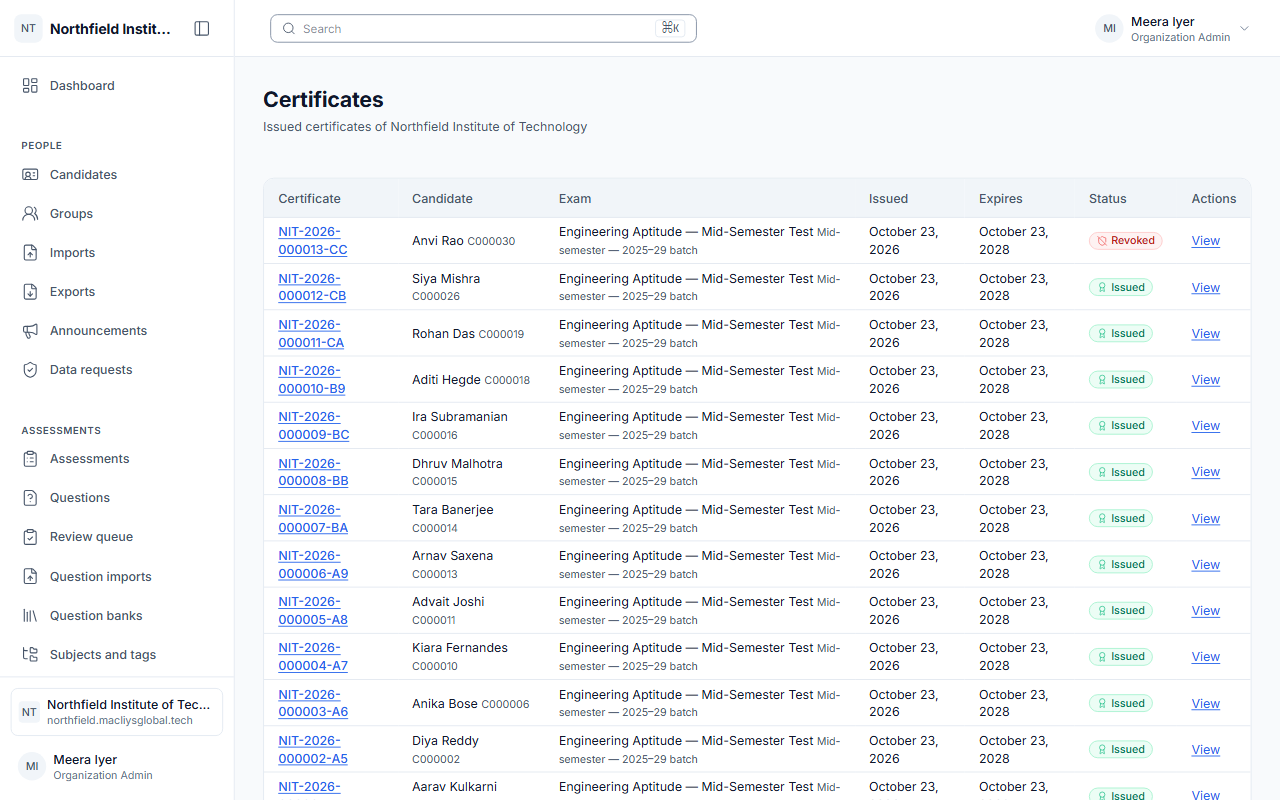
Revoke a certificate and the verification page shows it at once. Set an expiry date and the certificate shows as expired after it.

  • Revoked shows immediately
  • Expiry dates
  • A log of every verification and download
The certificates list with their statuses.

Frequently asked

How does someone check a certificate?

Scan its QR code or enter its number at macliysglobal.tech/verify. The page shows whether it is valid, revoked or expired.

What happens when we revoke a certificate?

The verification page shows it as revoked from that moment.

Ready to run your next exam on AiSquare?

Tell us about your institution and we will set up a demo.