
Skip to content

Product

Schedule, invite and run the exam

Publish an exam through one wizard, schedule it in fixed or flexible windows, invite candidates by e-mail, and let the exam player do the rest: a server-side timer, autosave and resume after any interruption.

At a glance

  • A step-by-step exam wizard

    Details, sections, questions, rules, proctoring, candidates, schedule, review, publish.

  • A timer the browser cannot touch

    Time is kept on the server, and late answers are refused.

  • Resume after a dropped connection

    A refresh, a network cut or a crashed browser reopens the same paper with the right time.

How it works

From draft to published in one wizard

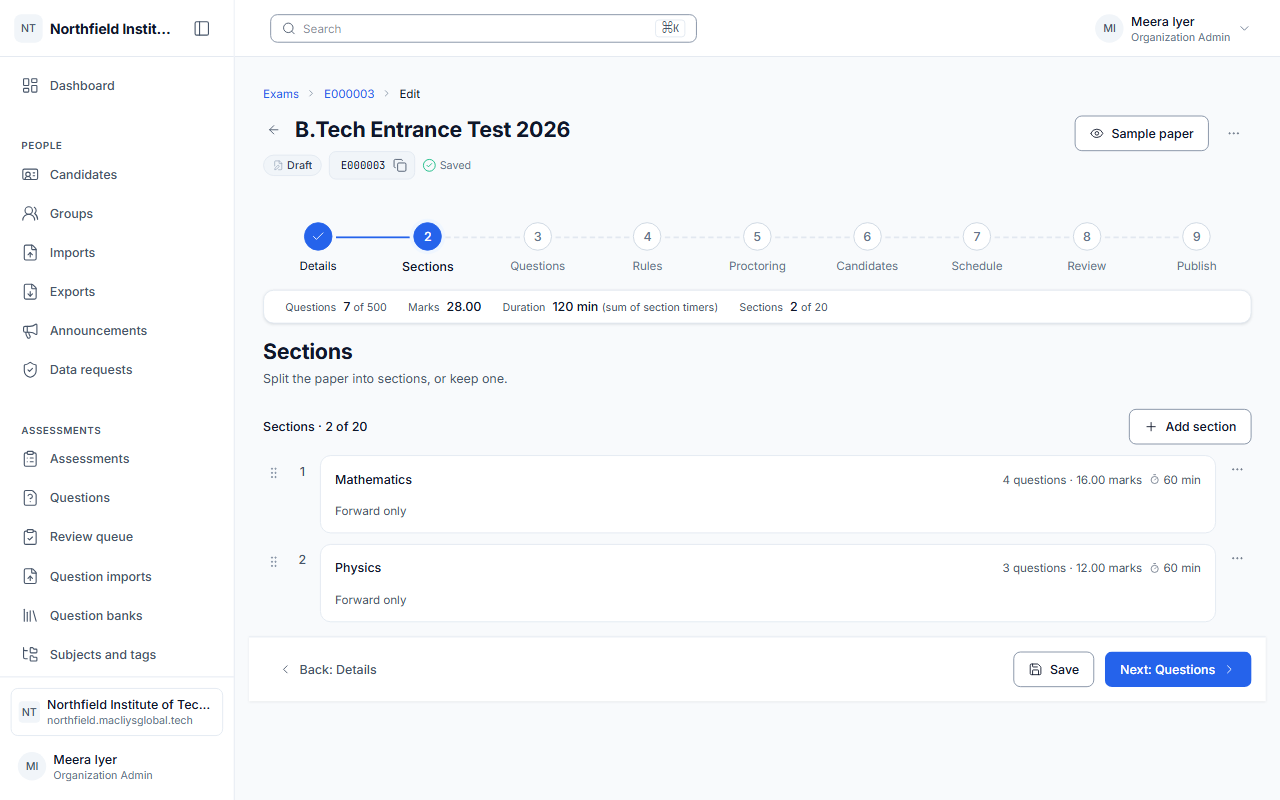
The exam wizard takes you through every decision in order and shows a review before you publish.

  • The proctoring level chosen per exam
  • Candidates assigned by person, group, org unit or CSV
  • A review step before publishing
The exam wizard on its review step.

Schedules, invitations and extra time

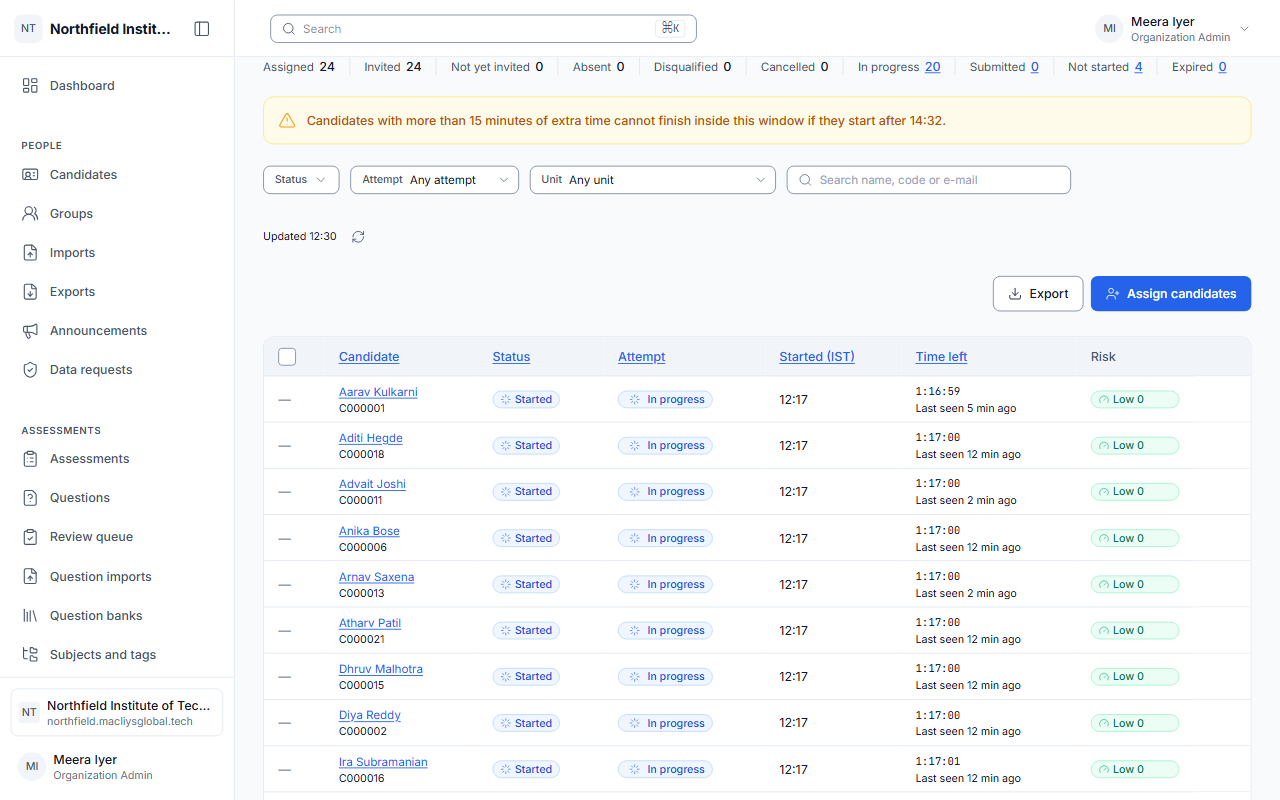
Set fixed or flexible windows, reschedule or cancel within your rules, and send invitations with the exam link and sign-in details. Give individual candidates extra time where they need it.

  • Fixed or flexible windows
  • Invitations sent in the background
  • Extra time per candidate
  • An exam calendar
A schedule with its window and assigned candidates.

A player built for real conditions

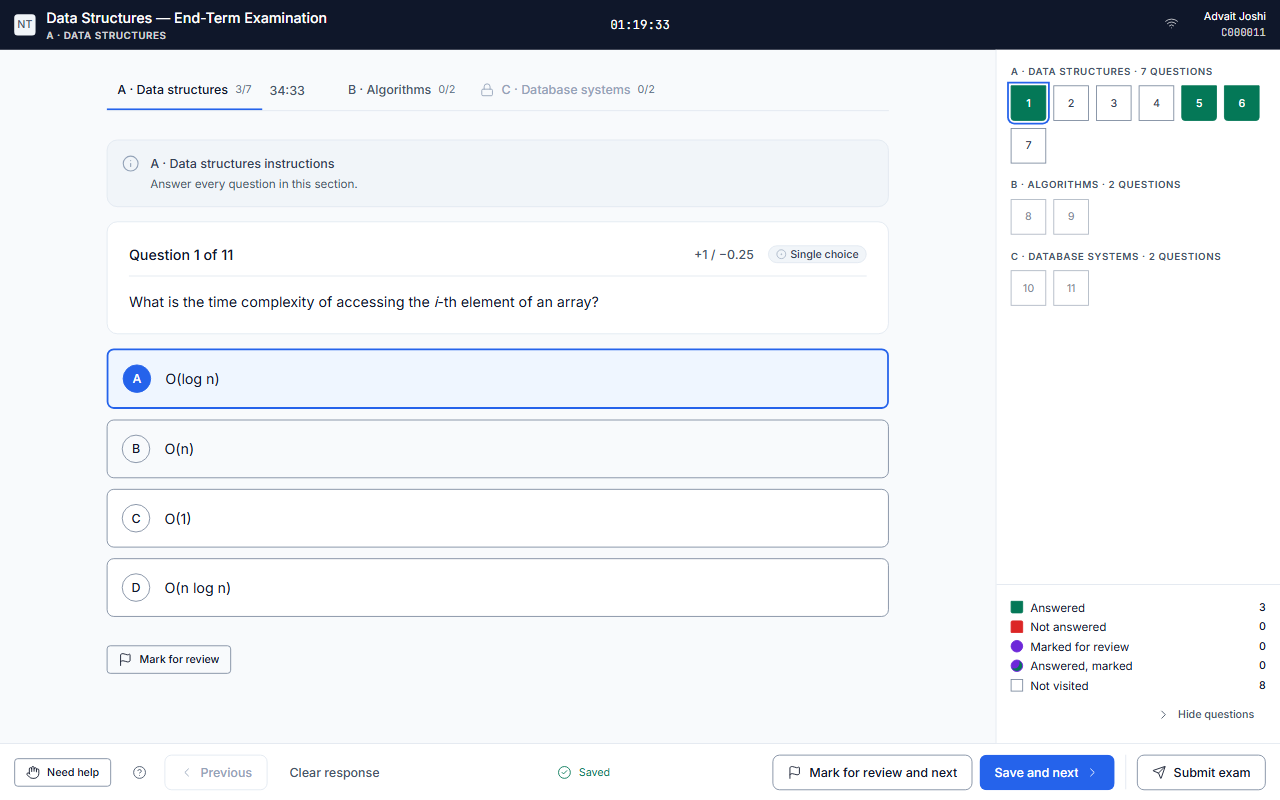
Candidates read the instructions, give their consent, check their system and begin. Every answer is saved as they go and held if the network drops, and the exam submits itself when time runs out, even if the browser was closed.

  • Mark for review and section navigation
  • One active session per attempt
  • Works on laptops and phones
  • Automatic submission at the end of time
The exam player with the question palette and the timer.

Frequently asked

Can candidates take exams on a phone?

Yes. The exam player works in a phone's browser as well as on a laptop, with the same timer and autosave.

What happens if a candidate's connection drops?

Answers are saved as the candidate works and held while the device is offline. When the candidate comes back, the same paper opens with the correct time remaining.

What if a candidate answers after time is up?

Answers sent after the time limit and its short grace period are refused by the server.

Ready to run your next exam on AiSquare?

Tell us about your institution and we will set up a demo.