
Skip to content

Product

Browser-level proctoring with a live proctor

Every Browser-level exam starts with a Proctor Code from the proctor. The browser reports tab switches, copy and paste attempts and lost focus, and a live proctor sees every candidate and can step in.

At a glance

  • A code to begin

    Candidates start only with the Proctor Code the proctor shares.

  • Incidents and a risk score

    Repeated events raise incidents and the candidate's risk score.

  • A live dashboard

    The proctor's view updates without a refresh.

How it works

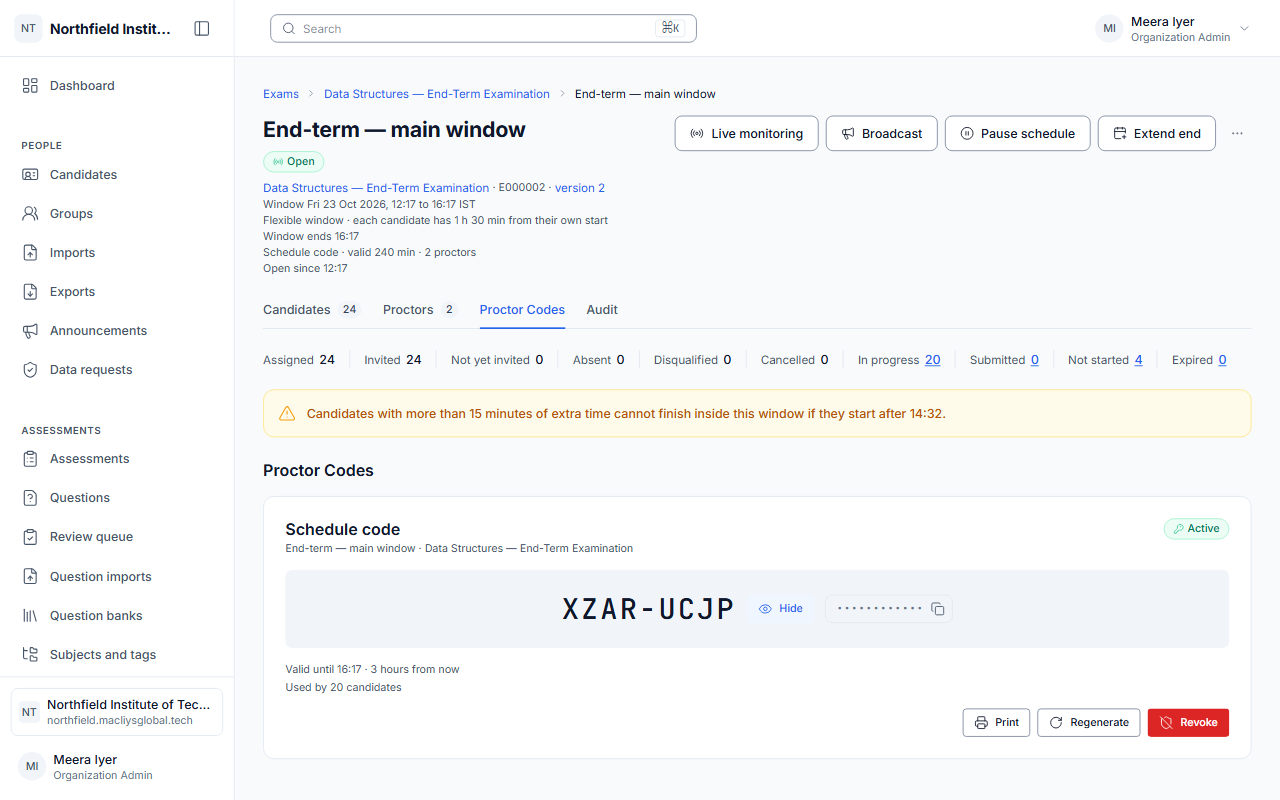
A Proctor Code starts every exam

The proctor shares a code from Live monitoring before the exam begins. Codes can be one-time or rotating, they expire, and they lock out after too many wrong tries; every use is recorded.

  • One-time or rotating codes
  • Expiry and lockout
  • A full record of every code
Live monitoring showing the Proctor Code for a schedule.

Browser events become incidents

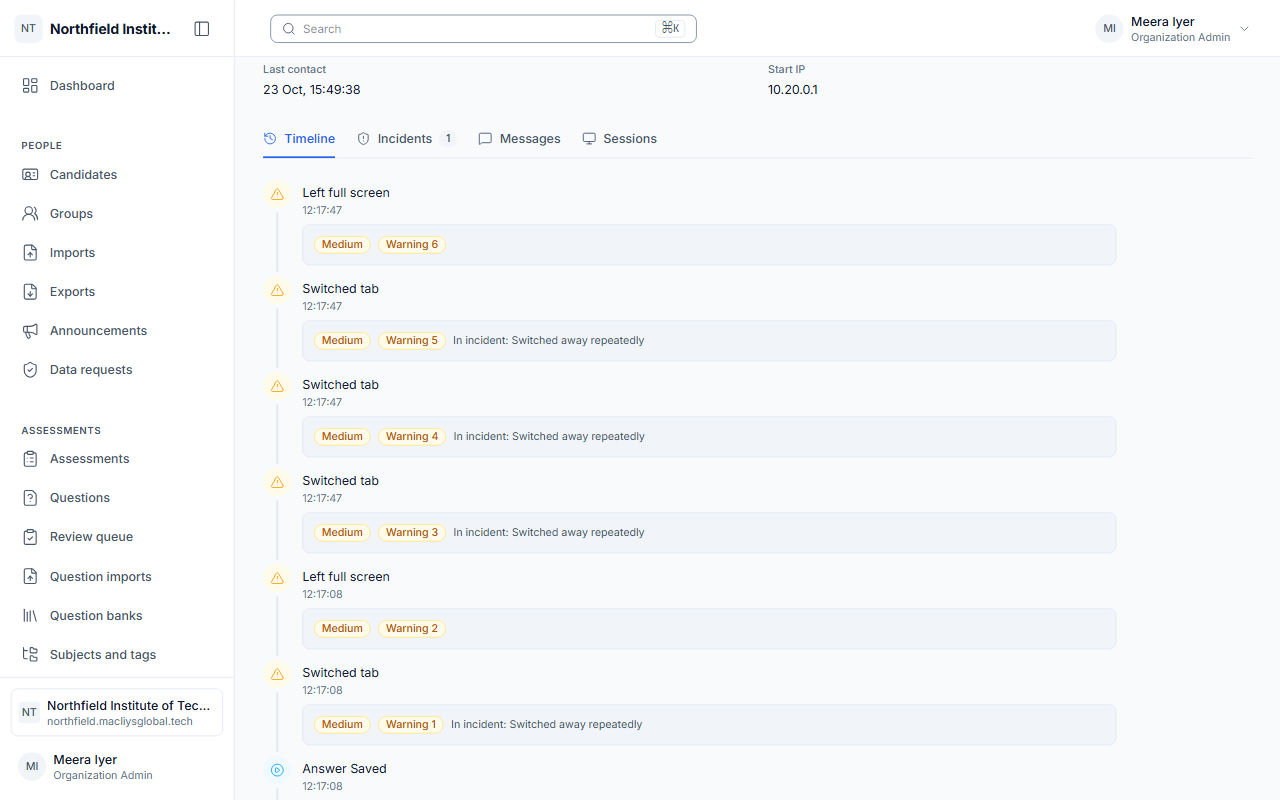
Switching tabs, losing focus, leaving full screen and trying to copy, paste or right-click are recorded with the time. Rules turn repeated events into incidents with a severity, and each incident raises the candidate's risk score.

  • A timeline of every event
  • Incidents with a severity
  • A risk score per candidate
A candidate's event timeline with an incident.

The proctor sees everyone at once

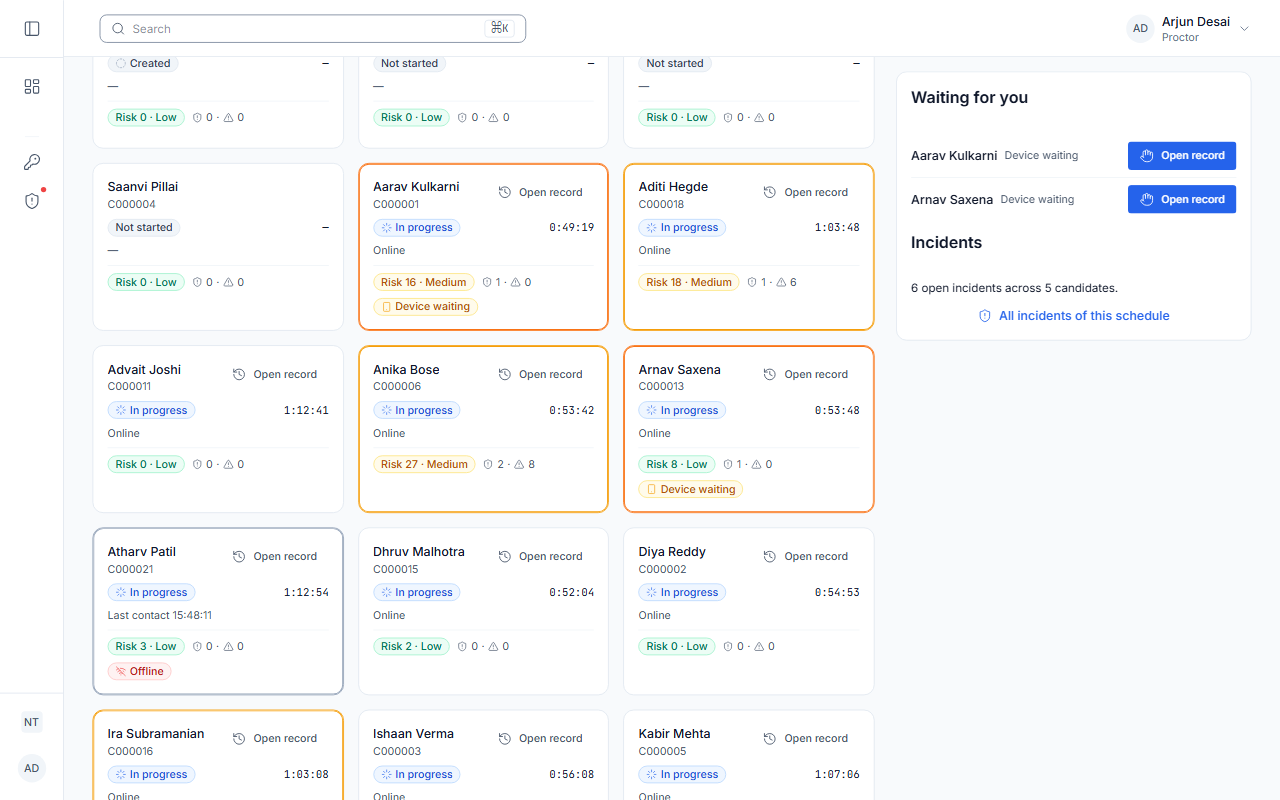
Live monitoring lists every candidate with their status and incidents, and updates as events arrive. The proctor can warn, pause, resume, extend time, end or submit an attempt, and send an announcement to everyone in the exam.

  • Warn, pause, extend or end
  • Announcements to every candidate
  • Notes on each incident
The live monitoring list of candidates.

AiSquare proctoring is browser-level, with a live proctor. It does not use the webcam or the microphone, and it does not run automated face or object detection.

Frequently asked

Does AiSquare use the webcam?

No. Proctoring in AiSquare today is browser-level, with a live proctor watching the candidate list. Camera, video and automated face detection are not part of the product.

What is a Proctor Code?

A short code the proctor shares from Live monitoring just before the exam. Candidates cannot begin a Browser-level exam without it.

What happens when a candidate switches tabs?

The switch is recorded on the candidate's timeline. Repeated switches raise an incident and the risk score, and the proctor can warn or pause the candidate.

Ready to run your next exam on AiSquare?

Tell us about your institution and we will set up a demo.